 Hëlth
HëlthMoves your Health data. Collects none of it.
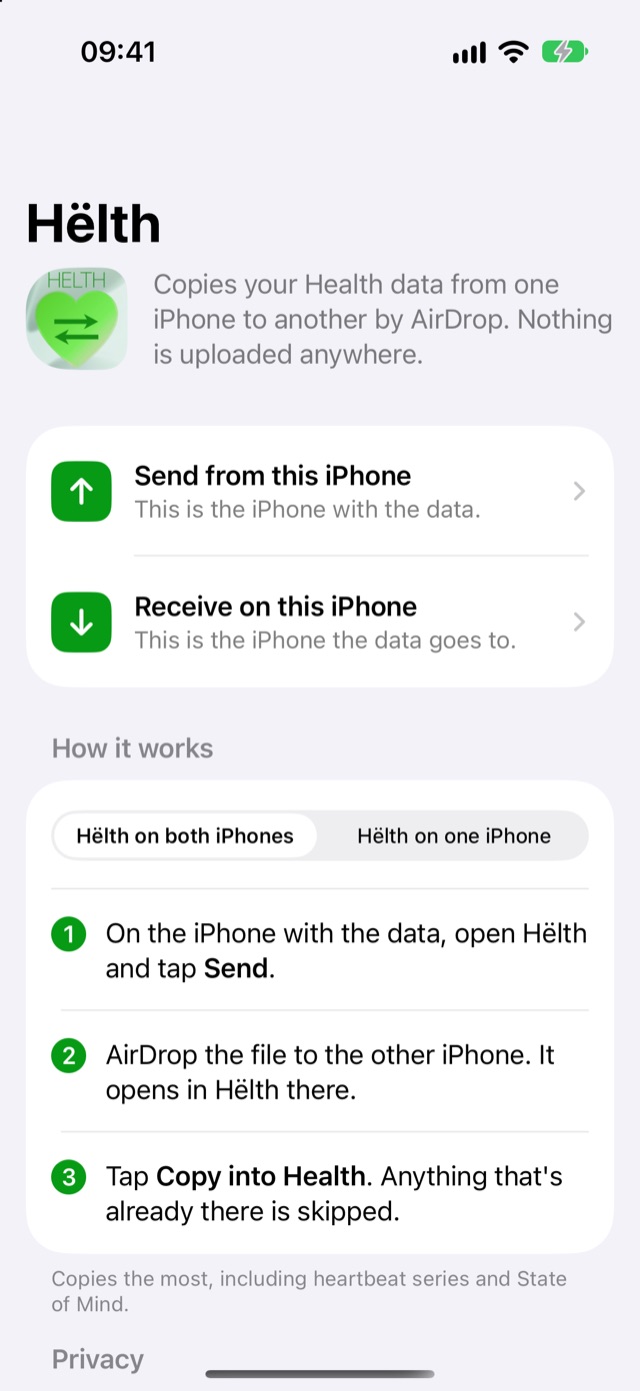
Hëlth copies your Apple Health data from one iPhone to another, by AirDrop. There's no account and no server in between, and the app never goes online.
How it works
For when your Health history didn't come with you: iCloud never synced it, you set up a new iPhone without restoring a backup, or you're going back to an older one.
-
1Send
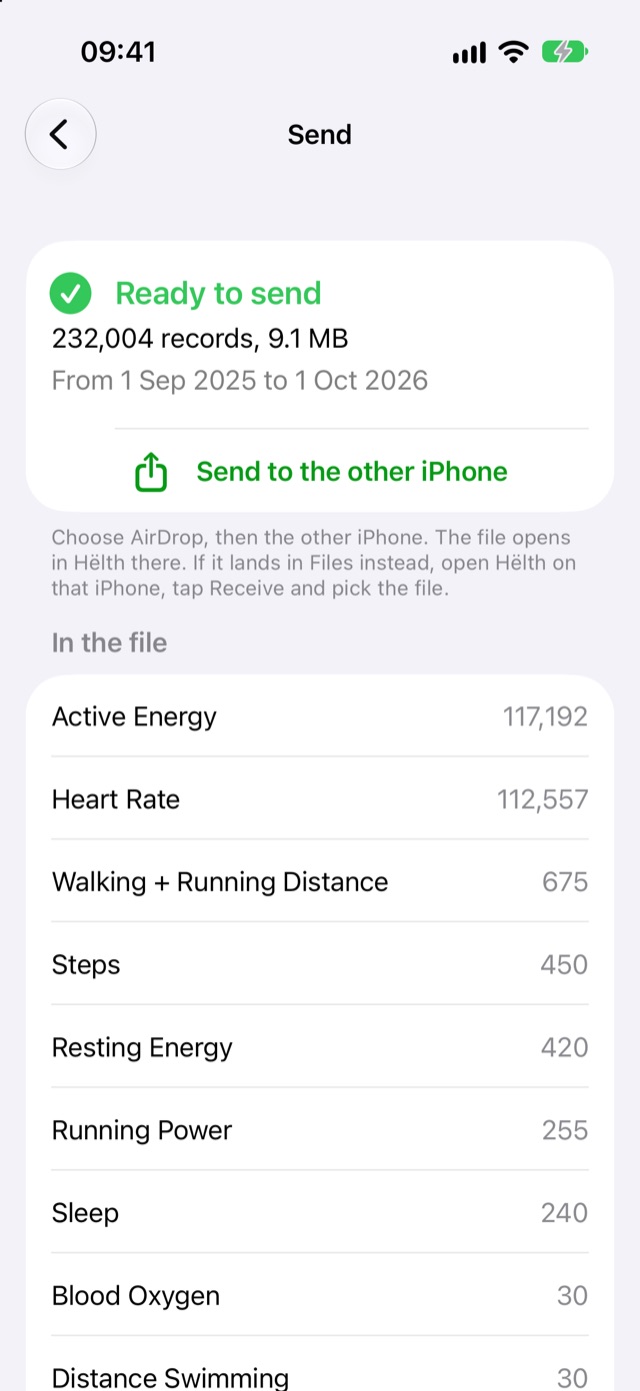
On the iPhone with the data, tap Send. Hëlth puts your Health data in one file.
-
2Check
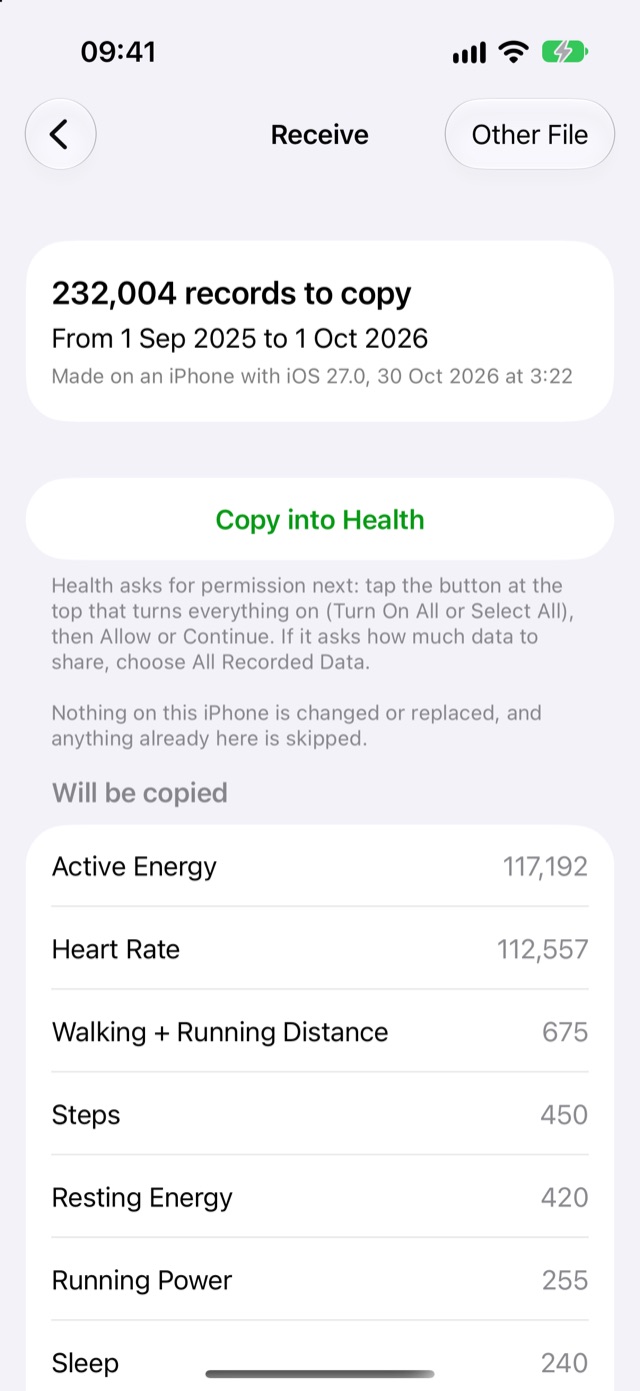
AirDrop the file to the other iPhone. Hëlth shows what's in it before anything is copied.
-
3Copy
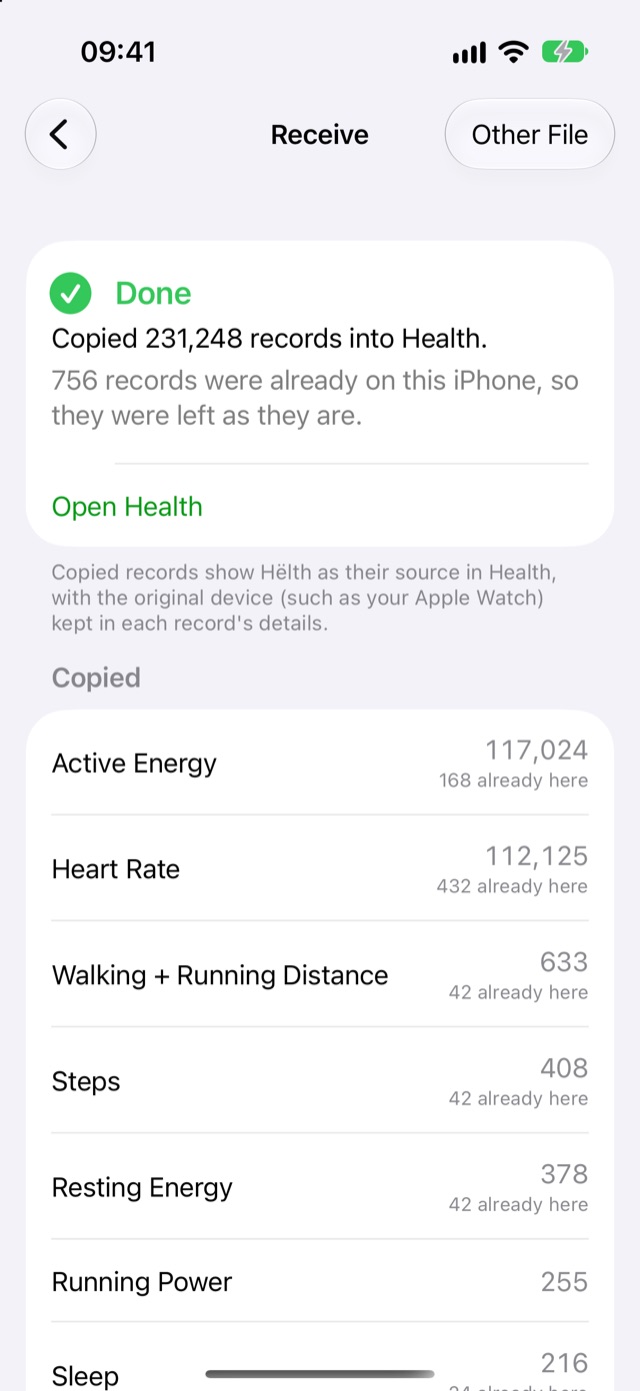
Tap Copy into Health. Anything that's already there is skipped, so nothing ends up twice.
No Hëlth on the old iPhone?
Use the Health app there instead: tap your picture, then Export All Health Data. AirDrop export.zip to the iPhone with Hëlth and open it. The Health app's export leaves out a few things, like heartbeat series and State of Mind, and Hëlth lists what's in it before copying.
Where your data goes
To your other iPhone, by AirDrop. Nowhere else.
- No servers
- Hëlth has no internet code at all. Your Health data is never uploaded, because there's nowhere to upload it to.
- No account
- Nothing to sign up for or log in to.
- No analytics or ads
- No tracking, no third-party code, no crash reporting service.
- Not in iCloud
- Hëlth keeps its files out of iCloud and computer backups. Health's own copy of your data is all a backup needs.
- Only where you send it
- AirDrop sends the file encrypted, straight to the other iPhone. If you pick something else in the share sheet, that's the only other place it goes.
- Data Not Collected
- That's the App Store privacy label. This website has no cookies or trackers either.
What comes across
Copied
Steps, distance, active energy, heart rate, heart rate variability, sleep, workouts with their routes, weight and body measurements, blood pressure, blood oxygen, nutrition and water, cycle tracking, symptoms, mindful minutes, heartbeat series, State of Mind and more.
Each record keeps its dates, values and details, including the device that recorded it, such as your Apple Watch. In the Health app, copied records show Hëlth as their source.
Only Apple can add these
Exercise, Stand and Move minutes, Activity rings, ECG recordings, heart rhythm notifications, walking steadiness and wrist temperature, among others. No app is allowed to write them.
Your Apple Watch records them again once it's paired with the other iPhone.
Questions
Will anything end up twice?
No. Before copying, Hëlth checks what's already on the receiving iPhone and skips it. Running it again with the same file copies nothing new.
Does it change or delete anything?
It only adds. Nothing already in Health is changed or replaced. If you want the copy gone, Remove what Hëlth added on the home screen takes out the records Hëlth put in and nothing else.
Why not just use iCloud?
Health syncs through iCloud only when both iPhones use the same Apple Account with Health turned on in iCloud settings, and sometimes it never catches up. Hëlth doesn't need iCloud, or the same account on both iPhones.
What about my Apple Watch?
What the Watch recorded is in the iPhone's Health, so it comes across with the rest. Before you start, keep the Watch near the iPhone with the data for a few minutes so its latest data is there. Afterwards, pair the Watch with the other iPhone.
How long does it take?
Usually a few minutes. A year of Apple Watch data is a few hundred thousand records. Keep Hëlth open with the screen on, and if it gets interrupted, it carries on where it stopped.